Signal cleaner

A typical application of the Signal cleaner I/O is to remove noise from a measurement at a periodical signal.
There are a few restrictions on the use of the Signal cleaner I/O:
- It can only be used with block mode measurements, not with streaming measurements.
- Signal cleaning works best with a significant record length, e.g. 100 kSamples or more.
- Signal cleaning requires at least 10 periods of the wanted signal in the measured record.
When the input signal contains insufficient periods of the wanted signal, the status Inactive (Not enough periods in input signal) is shown in the settings window and the original signal is shown.
Properties
To control the behavior of the Signal cleaner I/O, several properties are available.
These can be accessed through a popup menu which is shown when the I/O is right clicked in the Object screen.
The properties can also be accessed through its settings window which is shown when the I/O is double clicked in the Object screen.
To open the Object screen, click the  Show object screen button.
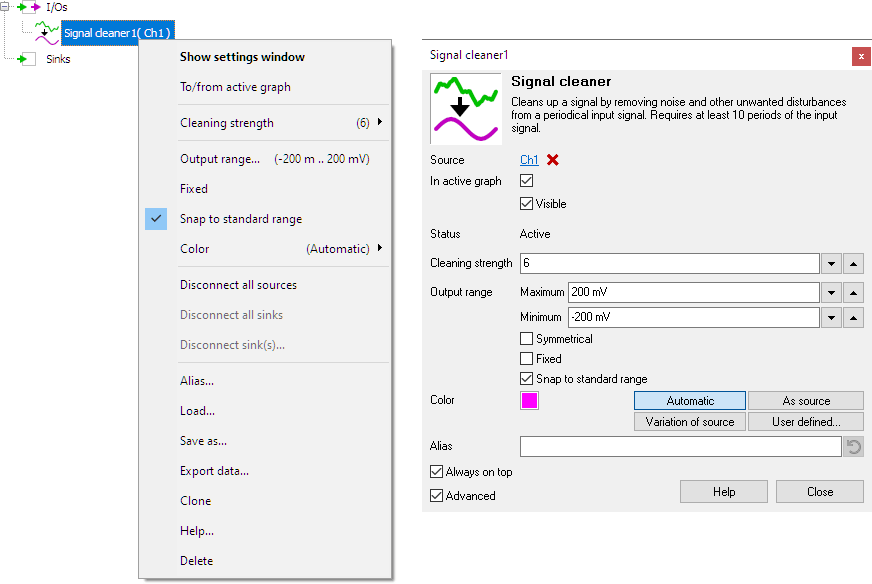
By default, the settings window only shows the most used settings. When Advanced is ticked, the extended window with all settings is shown. See also the program settings.
Cleaning strength
The setting Cleaning strength defines how strong the signal is cleaned.
Common properties and actions
Related information

Filter
The Filter I/O filters the source's data using a user definable software filter.
Ideal filter
The Ideal filter I/O filters the source's data using an ideal user definable software filter.